


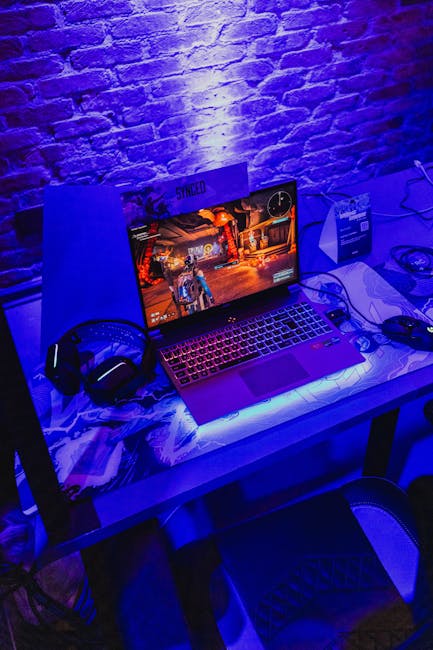
 So a while back I did a video on the i7 4790, and it performed much better than I expected. It was able to play some of the most demanding titles at over 60 fps, and I realized it might almost be as good as my Zephyrus g15.
Now I bought this laptop for about $2000 3 years ago, and it currently goes for about 12 hundred on sites like eBay and offer up.
The reason I’m making this video is because is desktop $800 cheaper and if you don’t need the mobility of a laptop, you a desktop may offer better performance at a lower price point.
So today were going to pit the two against each other and see just how large, or small, the performance gap really is.
At the heart of the g15 is the Ryzen 9 5900hs. It’s an eight core CPU with 16 threads, a base clock of 3 Ghiz and all core boost of 4 Ghiz and a single core boost to 4.6ghz. It also came with the rut 3070 mobile graphics processor, 16 gabs of ram, and 1 tb of SSD storage. Which was good enough, but I ended up upgrading to 40 gabs of ram and added another 2tb SSD.
On paper the desktop should perform worse. Oriignally I bought this system for $30 coming with an i3 4130 8 gigs of ram and a hard drive. It wasnt quite as powerful as I had hoped, so I threw in the i7 4790 for $40 and 16gb of ram 20. Next, I got rid of the crappy hard drive and installed a 500gb Samsung 870 SSD for 30, alongside an ASUS rut 3060 and a 600-watt power supply. Currently a similar PSU on eBay goes for about $40, and you can easily find 3060s around the $220 price point.
Meaning that, in total, this computer costs about $380.
But when you buy a laptop, you’re also paying for the built in peripherals which isn’t priced into the desktop system. So, if you want to be picky you can throw on $100 for a nice monitor and 40 more for a mouse and keyboard. Regardless, the main selling point of gaming laptops is the idea of mobile performance, being able to complete demanding tasks like rendering or gaming wherever you are.
And if that’s a priority for you a desktop computer just isn’t a viable solution.
Personally, I bought the g15 because I was going off to college and figured I would need a powerful laptop for class.
Turns out, I didnt need to. Ive been usinmg my older laptop with a 7th gen i5 for all my development coursework and it rarely slows down. Honestly, I just wanted to drag race the systems against eachother. I paid a lot of money for both of them and wanted to see how well a cheap PC can hold up against an expensive laptop.
The first order of business was to run some synthetic tests starting with Cinebench.
Now these tests aren’t exactly under ideal conditions. The g15 still is my daily driver and has a lot of programs and applications installed. I didn’t really feel like factory resetting the PC with all my data on it, so I killed any background programas and got the idle cup usage down to 2% before running Cinebench r20.
Ultimately, it got a score of 4758.
When I first got this laptop, I made a video on it, and it scored about 300 points higher. So, it’s less than it used to be and isn’t under ideal conditions, but realistic one’s conditions. On the other hand, the 4790 got a score of 1701, which performed as expected. Obviously, the ryzen system won by a landslide so it was on to 3dmark. Both of these tests performed slightly above the 50th percentile, with the laptop 3070 achieving a score of 9415 and the desktop 3060 getting 7553.
Going into this I expected that number to be a lot closer to each other than they actually were. Of course, the 3070 is using a more powerful processor, but it’s limited to 80 watts as opposed to the 3060’s top of 170. So, this makes the laptop the victor and now you’ll find out why you can’t always rely on synthetics tests for benchmarking. Also, both systems were running windows 10 and speaking of which if you’re looking for cheap software keys fans has exactly what you need.
Now January 31, was the last day Microsoft offered the Windows 10 Pro and Home download, but for those who just don’t want to use Windows 11 Windows 10 license keys are still available from third parties before the operating system is no longer supported.
Luckily Keys fan, the sponsor of this video, is running a sale and using promo code GT50 in your cart saves you 50% off windows 10 or 11 activation keys. They also have a sale on Microsoft office keys, and using code GT62 will save you 62%. https://www.keysfan.com/softwarebigsale-gt.html?ksf=jt05 This website also fully supports refunds and has great customer service and if a key you purchase is invalid, your money can be refunded. The license you buy is for lifetime activation, and the key remains valid if the memory or hard drive is formatted or replaced and is only invalid when the motherboard is changed.
So, check it out, your bound to find something you’ll like.
I’ve provided some links in the description that’ll take you directly to the website and once again I’d like to thank keys fan for sponsoring this video The gaming benchmarks really were the backbone of this test, it provides a real-world demonstration of the hardware’s capabilities and gaming performance is what most people are concerned about.
We ran all the tests in Fullscreen 1440p without syncs and the results were very close. Yeah, turns out this $380 desktop PC is generally just as good, if not better than my gaming laptop. Now 1440p is a pretty high resolution and in a sense, does reduce some of the load on the CPU.
But nowadays that’s a pretty common resolution and it’s what I use every day, so were sticking with that. So, what does this performance actually look like.
In beaming drive on the laptop, it got an average of 74, a minimum of 25 and 1% lows of 46.
On the desktop it got an average of 89 a minimum of 46 and 1% lows of 76. I did this test with the normal settings and the average framerate on the 4790 system was about 20% higher. This was the first test I ran and it was at this point I realized this desktop might just outperform my expensive laptop.
GTA V was up next with the very high settings where the laptop got an average fo 75, a minimum of 32 and 1% lows of 45.
Similarly, the desktop got an average of 77 a minimum of 36 and 1% lows of 56. The average framerates were prettgy close to eachother, and felt like a near identical experience. But the 1% lows and minimum framerate on the desktop were significantly higher, so once again its a win for the 4790. Counter strike 2 was up next and was the first game in which the laptop outperformed the desktop with an average of 122 a minimum of 29 and 1% lows of 73. The desktop only got 102 fps with a minimum of 32 and 1% lows of 50, both with the high preset and balanced far.
I also want to mention that when I recorded this gameplay, I did so externally use the other system.
So, the additional load from running recording software shouldn’t be a factor when considering performance. Far cry 4 is a bit of an older game, and with the high preset the results were sort of a mixed bag.
The laptop got an average of 78 with a minimum of 37 and 1% lows of 54.
The desktop had a higher average framerate with 93, but a lower minimum and 1% lows figure of 29 and 35 respectively.
So, the laptop was more consistent and was a little more stable, but the desktop was able to achieve a higher average. I don’t know what to make of this one, they felt pretty similar so let me know what you think in the comments below. With the high preset battle bit also demonstrated the desktops instability.
The laptop got an average of 98, a minimum of 67 and 1% lows of 79.
Once again, the desktop got a higher average with 154, but a lower minimum framerate of 57, and 1% lows of 114.
For this test I ran both the games on a 254-player server and tried to keep them as identical as possible. We did end up using 2 different maps which can definitely influence performance, but still accurately showcases the desktop’s lower minimum framerates. Next was Rocket league with the high quality preset. The laptop it got an average of 169 with a minimum of 25 and 1% lows of 64. The desktop beat it in every aspect.
It got an average of 205, a minimum of 32, and 1% lows of 92. So far, not looking good for the G15.
The last game we tested was PUBG with the high preset. On the laptop it got an average of 143 with a minimum of 18 and 1% lows of 70. On the desktop it performed significantly worse with an average of only 78, a minimum of 12, and 1% lows of 19.
Both of their minimum framerates are horrible, and I’m surprised the developers haven’t fixed this by now. Yet, the laptop was the clear winner in this test and performed much better. So what does this prove? Well overall, the average average framerate for the desktop came to be 114, with the average average framerate of the laptop being 108.
The average minimum framerate of the desktop was also higher, alongside its 1% lows.
So technically, the desktop does offer a slightly faster, more stable gaming experience.
However, if I factory reset my laptop just gave it a fresh install of windows, I think it would take the performance lead. Not by much but would still take it. For the laptop, heat potentially played a role in decreasing performance. In all of the games the GPU stayed cool around 70,75 degrees Celsius.
But the CPU was anywhere from 70 to 94 degrees Celsius.
It got the hottest while running PUBG but even then, didn’t seem to be significantly thermal throttling, still sticking around 4-4.4 ghz. Im not sure if this played a large part but I keep up on maintenance for it. I cleaned it out beforehand laptop and had a cooler running full blast on it the entire time.
And you know what didnt have an overheating issue? The desktop. Regardless, the point is that I paid 2000 for a laptop that’s basically just as fast as this $380 desktop PC. Don’t be like me and buy an expensive laptop for college that’s just going to sit in your room.
Unless you know for a fact that you need high performance computing wherever you go, it’s not worth the money.
And don’t even get me started on MacBook’s I will never understand mac users. Anyways I hope you enjoyed the video. Consider leaving a like or subscribing because it genuinely helps me out. If you want to join the community there’s a link to the official jaundice discord server in the description, and if you wane check out jaindike.com that help the channel out l.
If you have any questions or related comments, then leave them below and I’ll be sure to respond to them. That’s about it. Have a great day. Bye.
https://www.buildabizonline.com/ar/joseintercallosa36/?aid=8539